

TL;DR
- WordPress 6.9 introduces the Abilities API, enabling AI agents to understand and interact with WordPress sites.
- DataViews, DataForm, and the Fields API receive significant updates for more flexible custom dashboards and admin interfaces.
- Block Bindings and Interactivity APIs are enhanced for building more dynamic and responsive user experiences.
- Theme developers gain improved styling options for forms, buttons, and border-radius presets via theme.json.
- These updates lay the groundwork for AI-assisted features and a more connected WordPress ecosystem.
What’s New / Why It Matters
WordPress 6.9 marks a significant leap forward for developers, introducing foundational elements that prepare the platform for an AI-assisted future and enhance its data management and interactivity capabilities. The release focuses on empowering developers to build more intelligent, connected, and customizable experiences within WordPress.
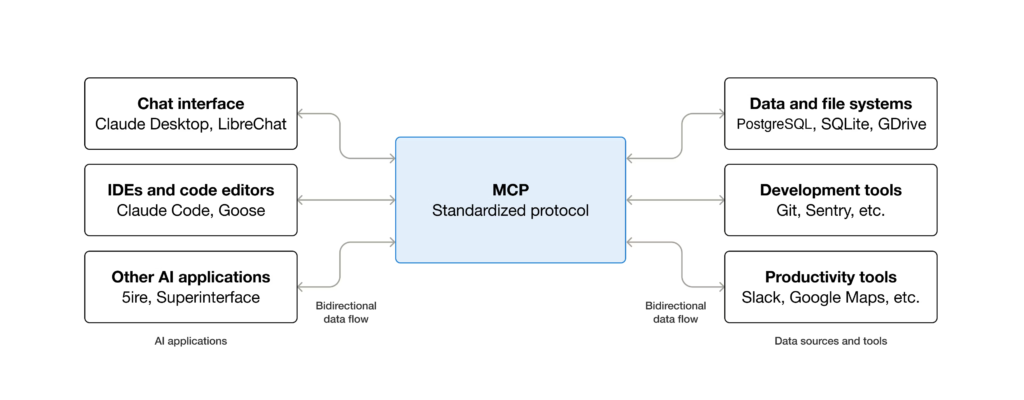
The most impactful addition is the new Abilities API. When combined with the Model Context Protocol (MCP), it allows AI agents and automation tools to understand and act within WordPress. This means AI systems like ChatGPT or Gemini can be given natural language commands to perform tasks, such as creating posts or auditing content, by understanding the site’s exposed functionalities. This integration is part of the AI Building Blocks initiative, aiming to make WordPress intelligible to AI systems without requiring immediate interface changes. For developers, this future-proofs WordPress, allowing for easier adaptation to new AI systems and protocols.
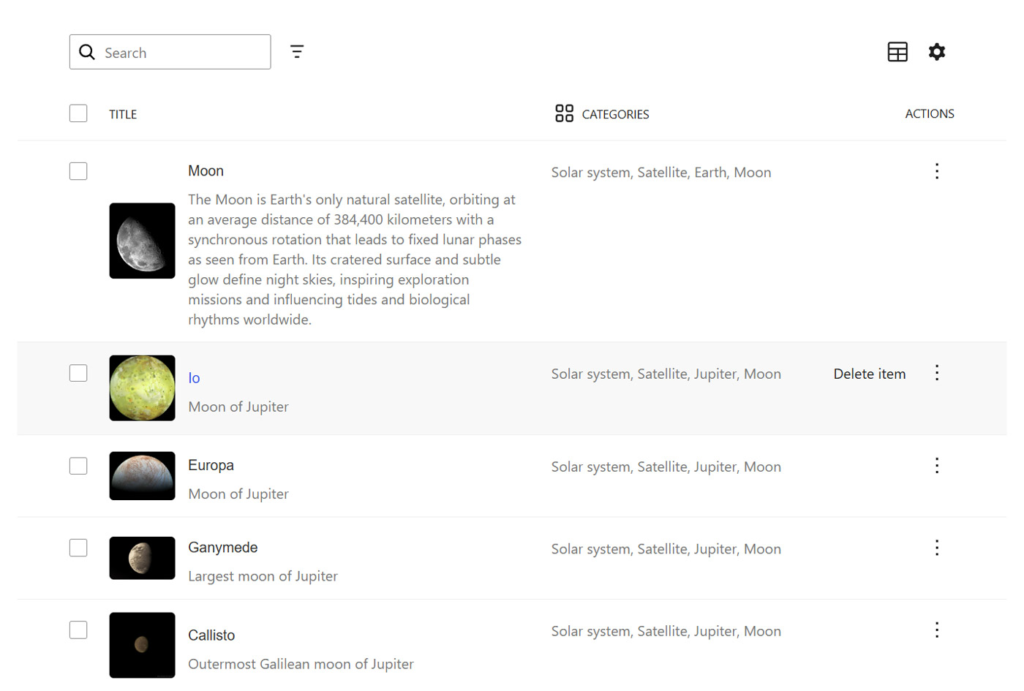
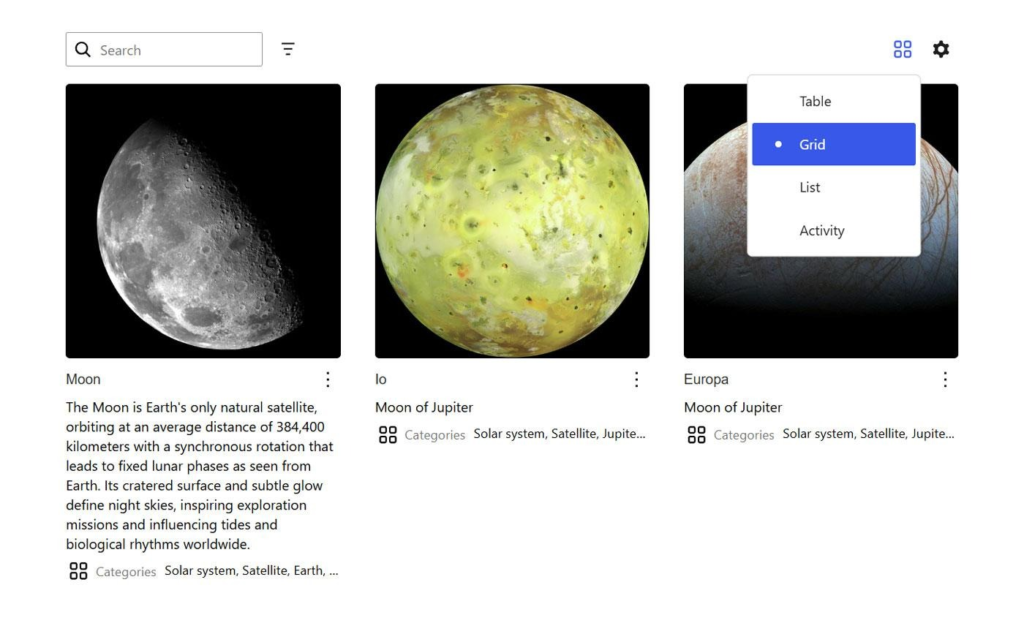
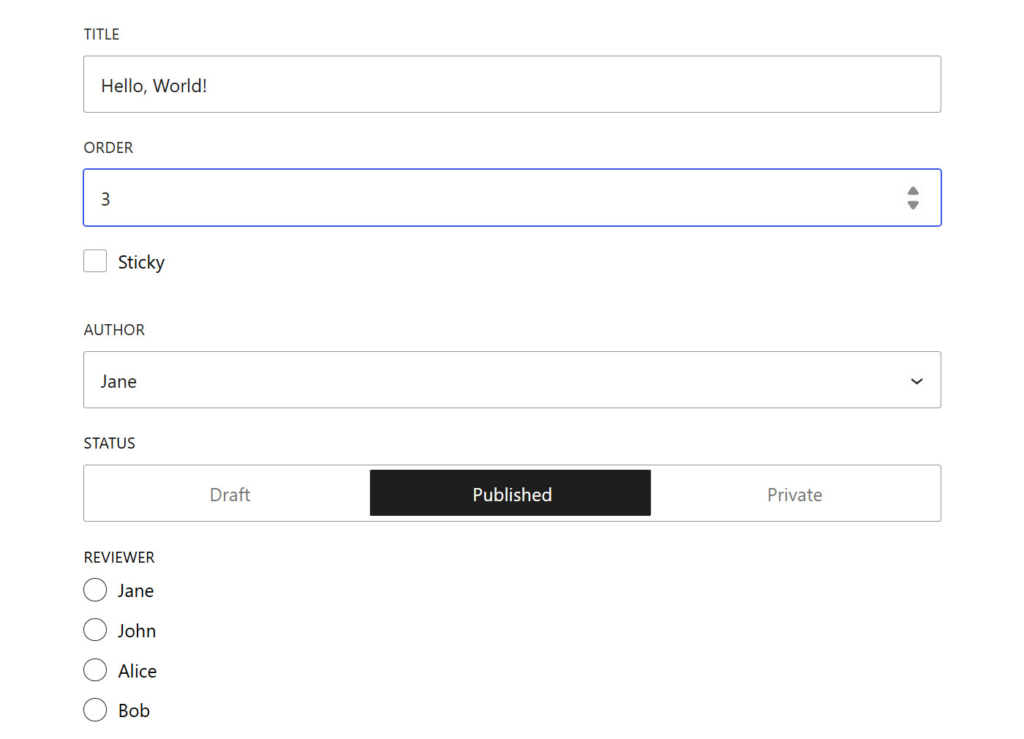
Beyond AI, WordPress 6.9 significantly strengthens its data management infrastructure. Updates to DataViews, DataForm, and the Fields API provide plugin developers with greater control and flexibility when creating custom dashboards and administrative interfaces. These enhancements simplify the creation of consistent and adaptable data displays, allowing for more sophisticated filtering, searching, and interaction capabilities. The expansion of the Fields API to include 13 field types and rule-based validation further streamlines the development of robust custom forms.
The Block Bindings API and Interactivity API have also seen substantial improvements. Developers can now more precisely control which block attributes are eligible for data binding and benefit from enhancements to the Interactivity API that make interactive features faster and more reliable. These updates are crucial for building dynamic, responsive user experiences without full page reloads.
Theme developers will appreciate the practical updates to styling. Theme.json now supports styling for form elements, offering consistent control over inputs and select fields across the entire site. New options for border-radius presets and improved button typography inheritance further enhance design flexibility and consistency.

How to Use It
- Explore the Abilities API: Familiarize yourself with how plugins, themes, and core functionalities can be exposed to AI agents in a standardized format.
- Integrate with MCP: Install the MCP Adapter plugin to connect your Abilities API registry with AI providers for intelligent agent capabilities.
- Leverage DataViews Enhancements: Utilize the improved DataViews component for creating flexible interfaces to display and manage data from any source within WP Admin.
- Build Richer Forms with DataForm: Experiment with new layout options in DataForm, including modal panels and customizable card designs, for more intuitive form presentations.
- Utilize Expanded Fields API: Implement the 13 new field types and rule-based validation to create more robust custom forms with less boilerplate code.
- Enhance Interactivity: Experiment with the enhanced Interactivity API for faster, more reliable dynamic features like comment loading or search results without page reloads.
- Refine Theme Styles: Use theme.json to style form elements, define border-radius presets with human-readable names, and leverage improved button typography inheritance for consistent theme designs.
Availability
WordPress 6.9 is available now as a software update. Specific pricing for any associated services or hosting plans is not detailed in this announcement, but developers can explore options like WordPress Playground for browser-based sandboxing and WordPress Studio for local site development.
Techswire’s Take
WordPress 6.9 signals a strategic pivot towards embracing artificial intelligence and a more connected web. By building robust APIs and data management tools, the platform is not just keeping pace but actively shaping its future. Developers gain powerful new avenues for innovation, particularly in creating intelligent applications and seamless user experiences, positioning WordPress for continued relevance in an evolving digital landscape.